
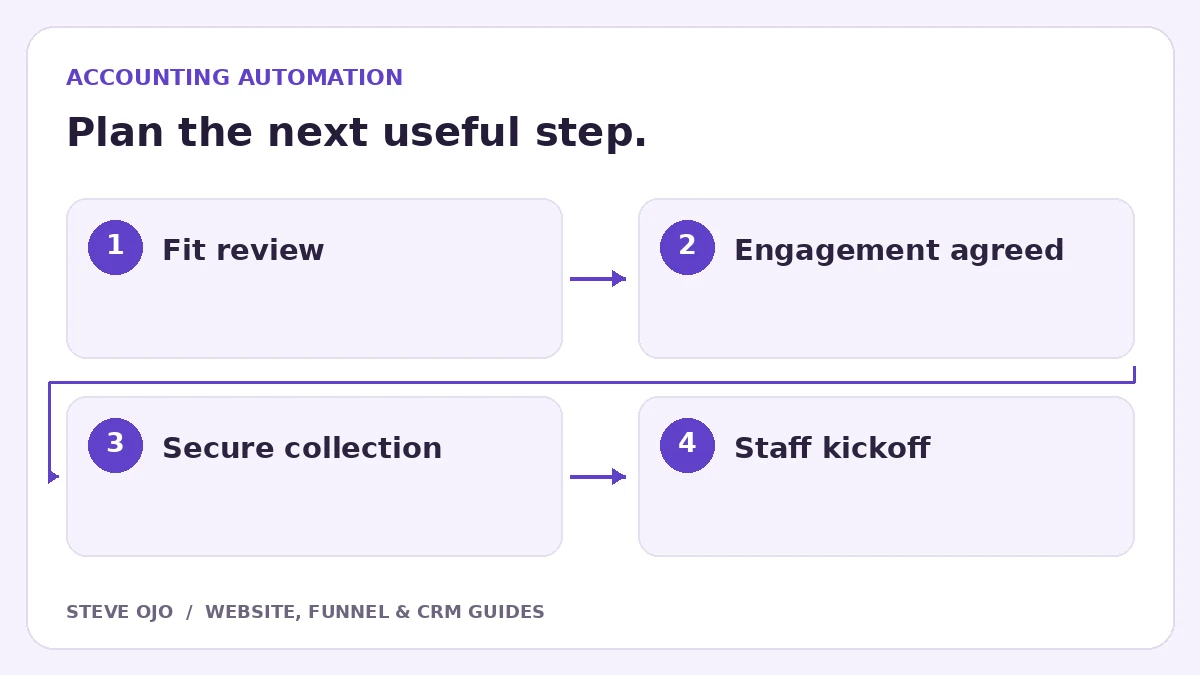
Accounting client onboarding should begin with a clear engagement decision, not an automatic demand for sensitive documents after every website enquiry. Map the enquiry, acceptance and delivery stages separately. Then automate the reminders and tasks that help the team move a confirmed client into the right service process.
Separate an enquiry from an accepted client
A website form can collect the service needed, business type, timing and reply details. That is enough to begin a fit conversation. It should not automatically create a welcome message saying the firm has accepted an engagement.
Define the approval step with the firm: who reviews the enquiry, what checks are needed, and what event confirms the engagement. Use that confirmed event to start onboarding. Keep declined or unsuitable requests out of the client delivery sequence.
Choose a secure home for document collection
Use the firm’s approved document portal for tax records, identity documents and other sensitive material. A marketing CRM can store a task saying that documents are outstanding without holding the documents themselves. Have the firm approve the tools, permissions and retention process before launch.
In the welcome email, explain where to upload, who to contact and what the first deadline means. Do not ask clients to send confidential records through a general website form. Automating a reminder does not remove the need for the firm’s own security review.
Create a milestone checklist that staff can verify
| Milestone | Evidence before advancing |
|---|---|
| Engagement approved | Required agreement process complete |
| Portal invitation sent | Correct client address and access |
| Documents requested | Service-specific checklist issued |
| Documents reviewed | Responsible staff confirmation |
| Kickoff ready | Outstanding items identified or resolved |
“Email sent” is an activity, not proof that a client uploaded the right files. Use a verified portal status or a staff-controlled field for the next step.
Make reminders specific to what is missing
Give each reminder a clear action and a contact for questions. Suppress it when the milestone is complete, the client replies needing help or the engagement pauses. Avoid a generic daily sequence that continues after a staff member has already arranged an alternative.
For a multi-service firm, use service-specific checklists rather than asking every client for the same package. A bookkeeping setup and a tax engagement may have different owners and prerequisites. The workflow should reveal those differences, not hide them behind one “Onboarding” tag.
Test with fictional clients before using real records
Run an accepted client, a declined enquiry, a partially complete checklist and a client who replies with a question. Check permissions and ensure reminders stop correctly. Confirm that staff can see what is outstanding without opening every email thread.
Steve’s Tracie Lowe CPA webinar funnel illustrates work in an accounting-related context; it does not establish that this onboarding automation was implemented for that client. Treat this guide as a proposed operating design and agree the actual process with your firm.
Sources and product documentation
Product details checked 27 October 2026. Confirm current plans and the exact behaviour in your account before implementation.
Need help applying this to your business?
Steve Ojo designs websites, funnels and connected CRM workflows, working remotely from Nigeria. Share your current process and the outcome you need.
Explore the related service Discuss your project