



A focused opening
The hero presents the new-patient offer, a presenter video and a booking invitation together.

Explore my Sovereignty StemWave appointment-page project, with a video-led service explanation, supporting information and a recurring booking invitation.
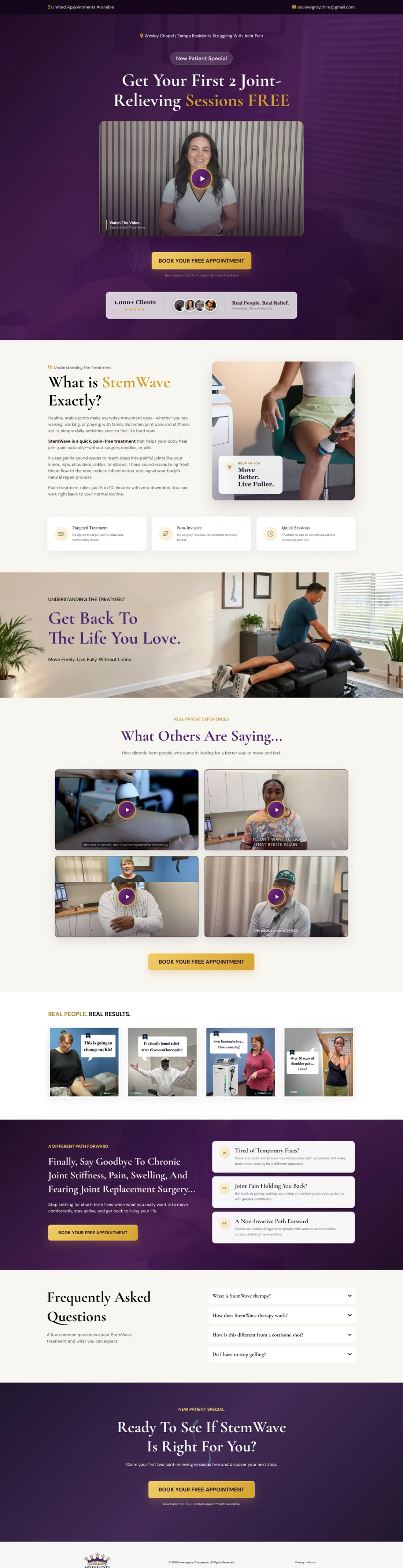
The StemWave page gives a new visitor one focused offer and a visible route to an appointment. The treatment explanation, video and supporting questions build context around that decision.
Three choices that shape the visitor’s experience on this page:
The hero presents the new-patient offer, a presenter video and a booking invitation together.
Service information and practical questions give visitors context before later calls to action.
Appointment calls to action return throughout the page, so a visitor can act after reviewing the relevant section.
A prospective patient needed to understand the StemWave service and see a clear way to request an appointment without losing the booking action inside a longer explanation.
I built the visible video-led service page, organised the treatment explanation and supporting questions, and repeated the appointment invitation at relevant points.
The original project shows the opening video, service information, practical questions and booking calls to action. Compare it with the desktop and full-page screenshots above.
This evidence establishes the page presentation. It does not establish clinical results, booking rates or completed reminder automation.














I built the visible video-led service page, organised the treatment explanation and supporting questions, and repeated the appointment invitation at relevant points.
The original project shows the opening video, service information, practical questions and booking calls to action. Compare it with the desktop and full-page screenshots above.
This evidence establishes the page presentation. It does not establish clinical results, booking rates or completed reminder automation.
I’ll adapt the service-page format around your approved offer and appointment process.