



The course outcome anchors the hero
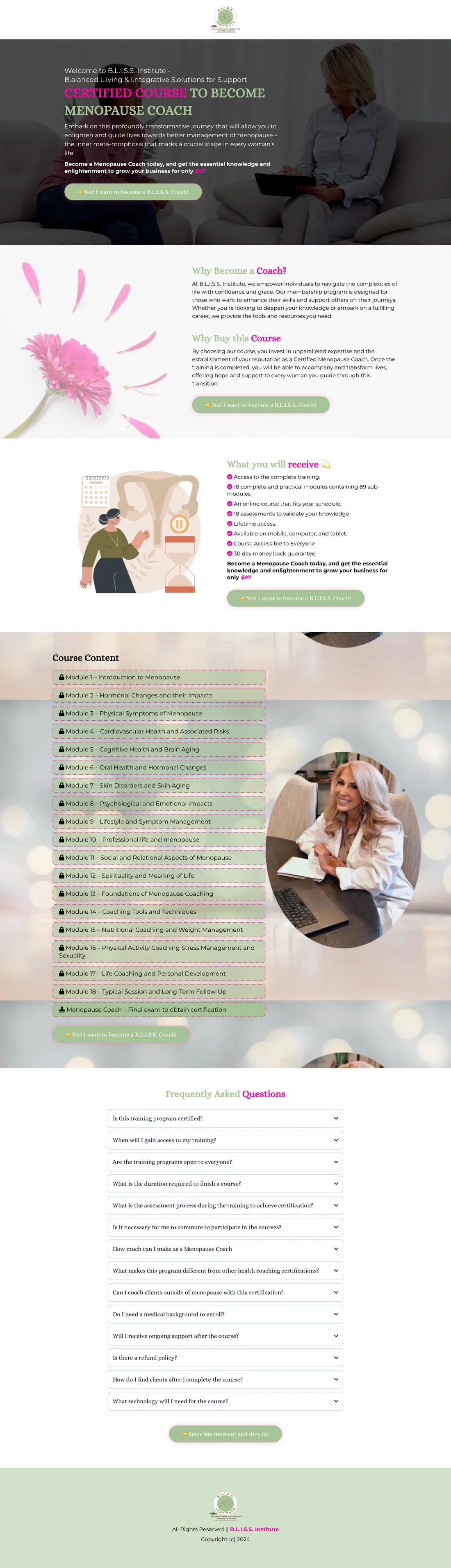
The opening identifies a menopause coach course and pairs its enrolment button with a coaching-session photograph.

B.L.I.S.S. Institute’s menopause coach course page explains the programme, lists training inclusions, and presents an eighteen-module curriculum. Repeated enrolment links and practical FAQs support evaluation before joining the online programme.
Three choices that shape the visitor’s experience on this page:
The opening identifies a menopause coach course and pairs its enrolment button with a coaching-session photograph.
A structured list of 18 modules and a final exam gives visitors a concrete view of the training topics.
The inclusions and FAQs address training access, devices, support, course duration and related practical questions.
Prospective learners needed to see what the menopause coach course covered, what was included and how enrolment worked before committing.
I designed the visible course-enrolment presentation around the programme overview, training inclusions, 18-module curriculum, enrolment prompts and practical FAQs.
The original page shows the course opening, curriculum with 18 modules and final exam, access information and repeated enrolment route.
This case documents the sales and enrolment page. It does not independently verify accreditation, payment events or a configured membership area.













I designed the visible course-enrolment presentation around the programme overview, training inclusions, 18-module curriculum, enrolment prompts and practical FAQs.
The original page shows the course opening, curriculum with 18 modules and final exam, access information and repeated enrolment route.
This case documents the sales and enrolment page. It does not independently verify accreditation, payment events or a configured membership area.
I’ll make your curriculum, joining terms and learner welcome clear before connecting enrolment.